Expand Your Reach with Smarter Currency Management
Easily Create and Manage Deals in Multiple Currencies!
Expand your business seamlessly across various regions by configuring multiple currencies in Admin Settings. Add deals in your preferred currency, and Twozo will automatically convert deal values to your base currency. Real-time conversion rates are displayed for each currency, ensuring accurate financial tracking.
How Can I Configure My Company's Default Currency and Decimal Format?
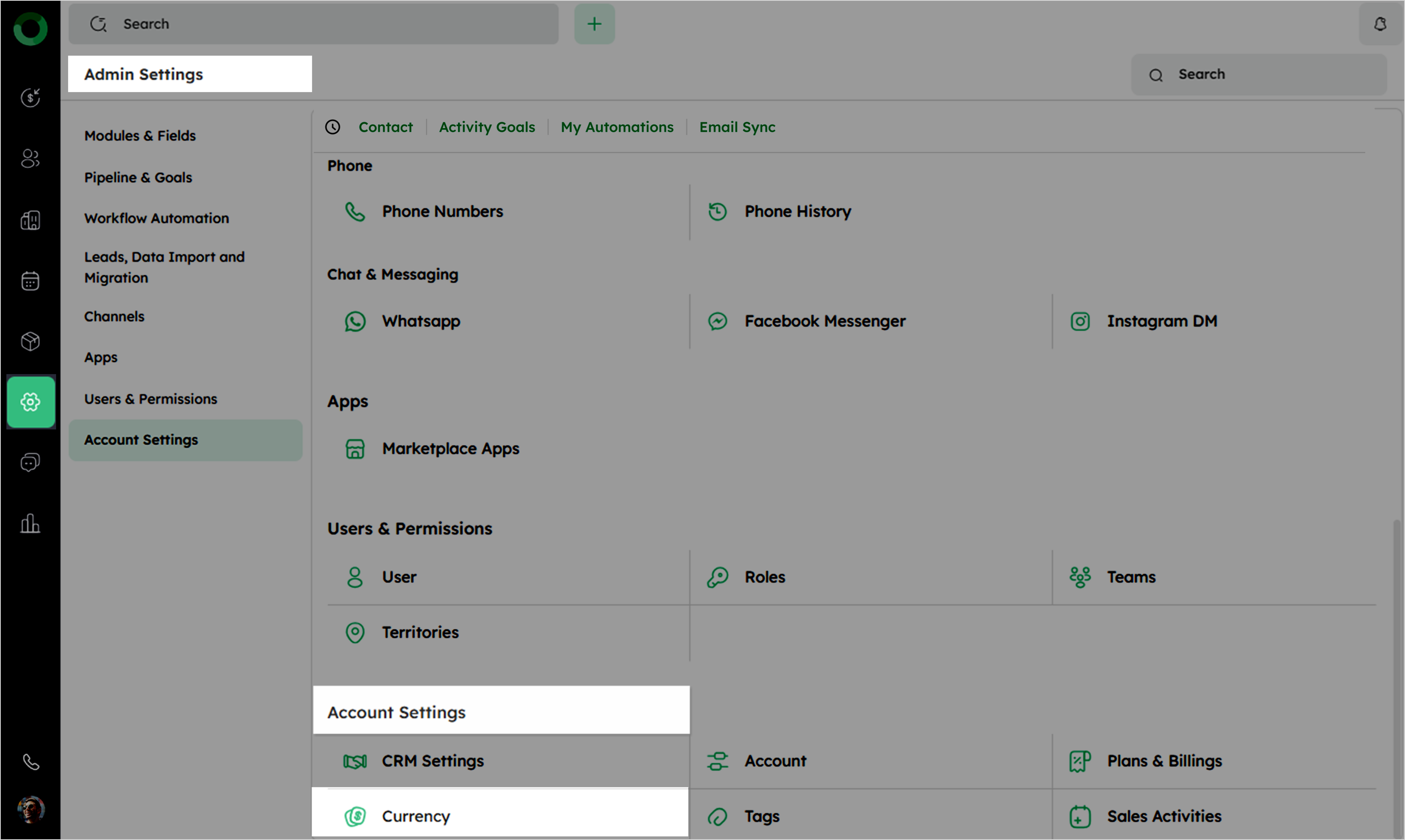
- To configure currencies, navigate to Admin Settings > Account Settings > Currency, where you can access the Currency settings page.
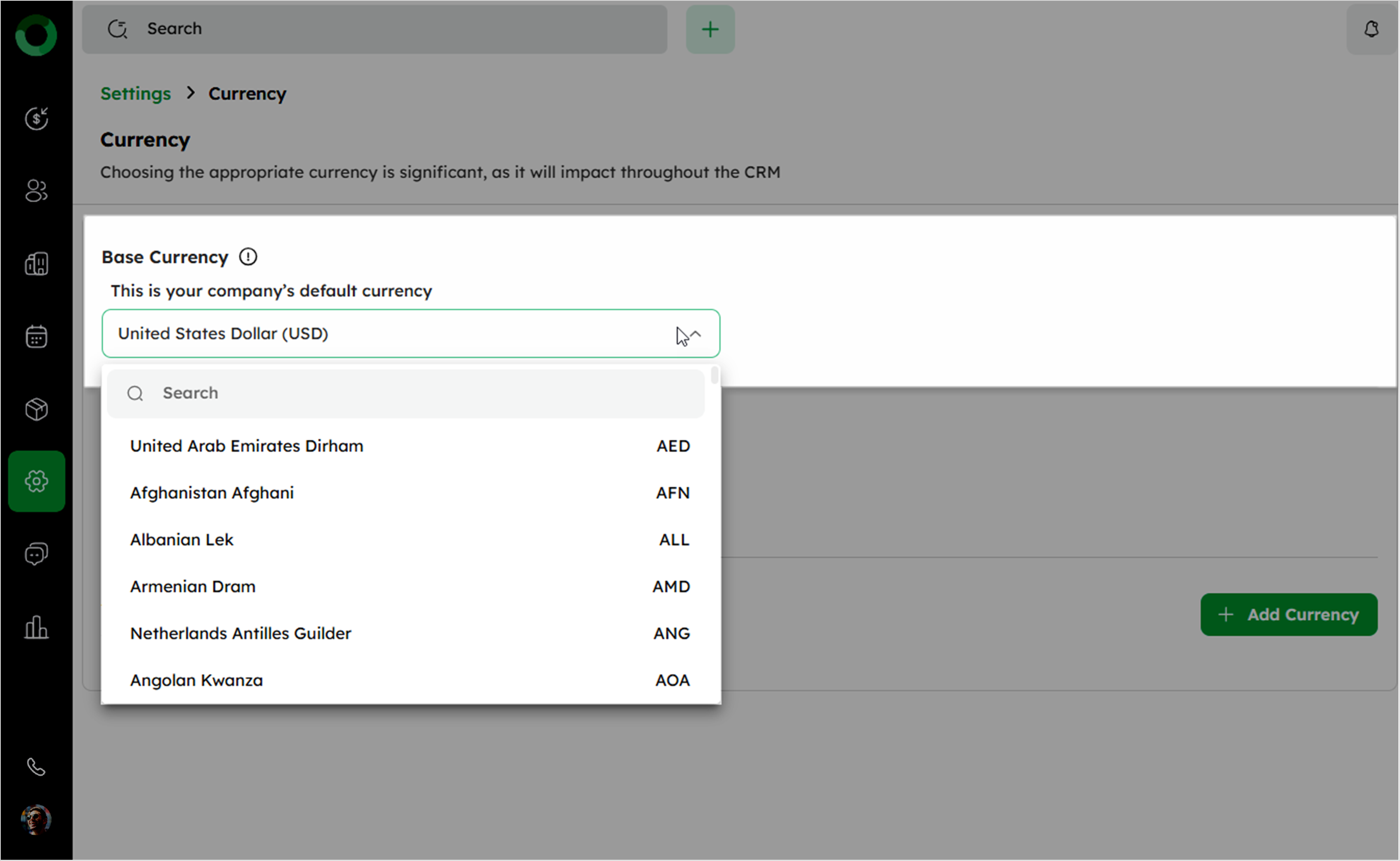
- In the Currency setup page, select a Base Currency from the dropdown to set your company's default currency.
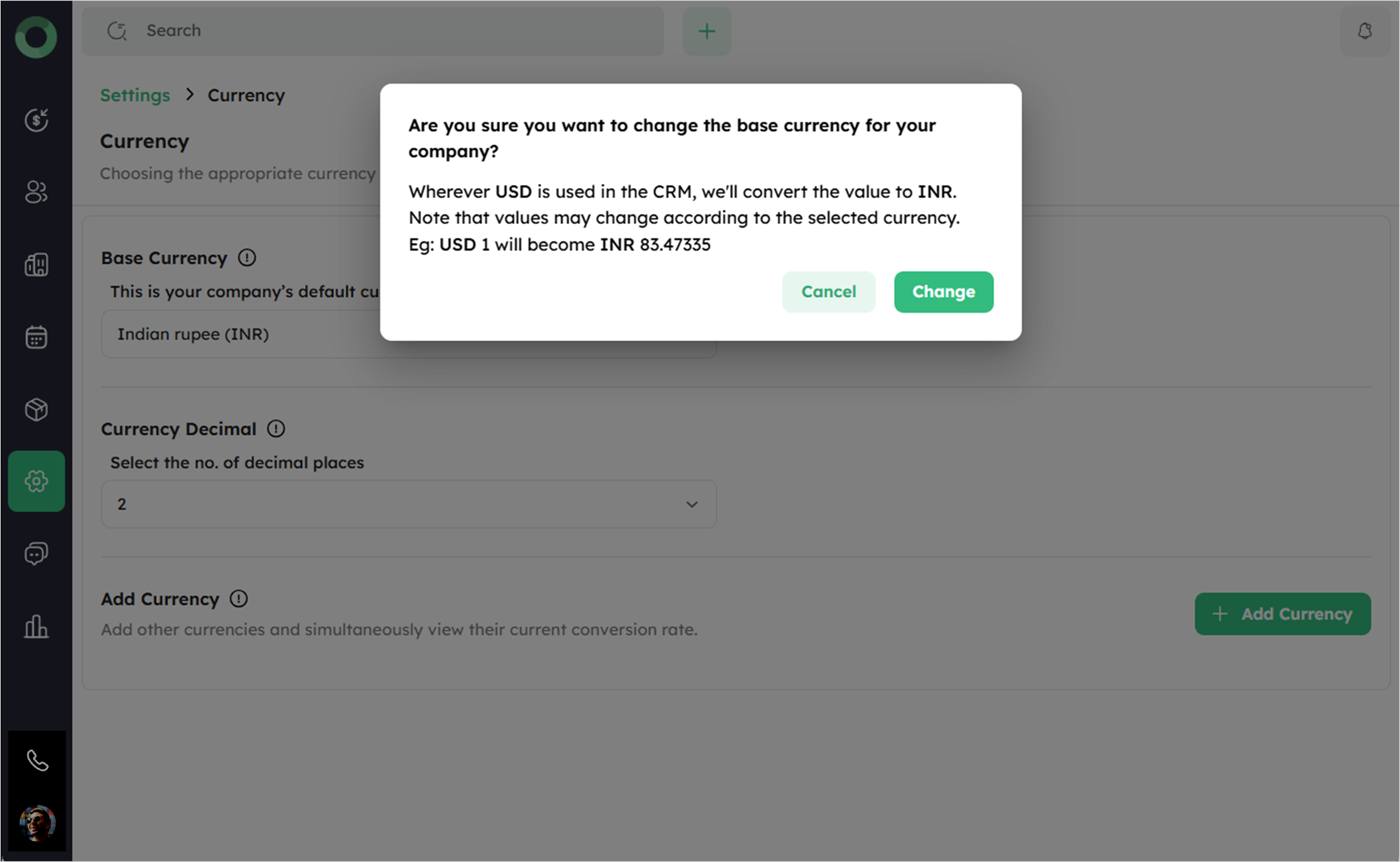
If the base currency is changed, all currency used in the CRM will be converted to the new base currency using the latest exchange rate (e.g., USD 1 → INR 83.47335).
- Select the number of decimal places for currency values to ensure precise calculations.
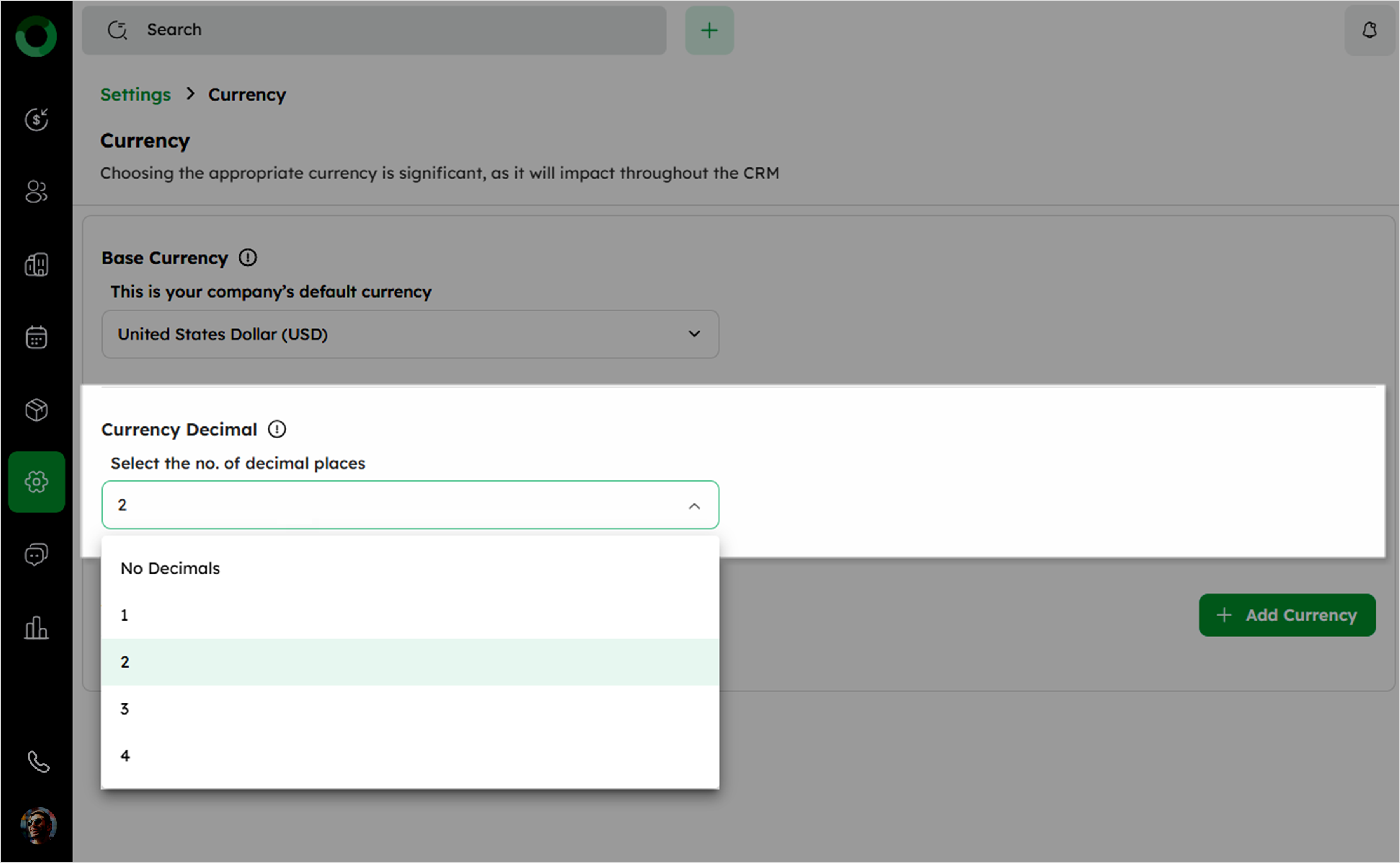
- By default, only the admin can edit currency settings. However, if access is granted, other users can access them.
How Can I Add and Manage Currencies with Real-Time Conversion Rates?
- Click the + Add Currency button on the right to open the confirmation pop-up.
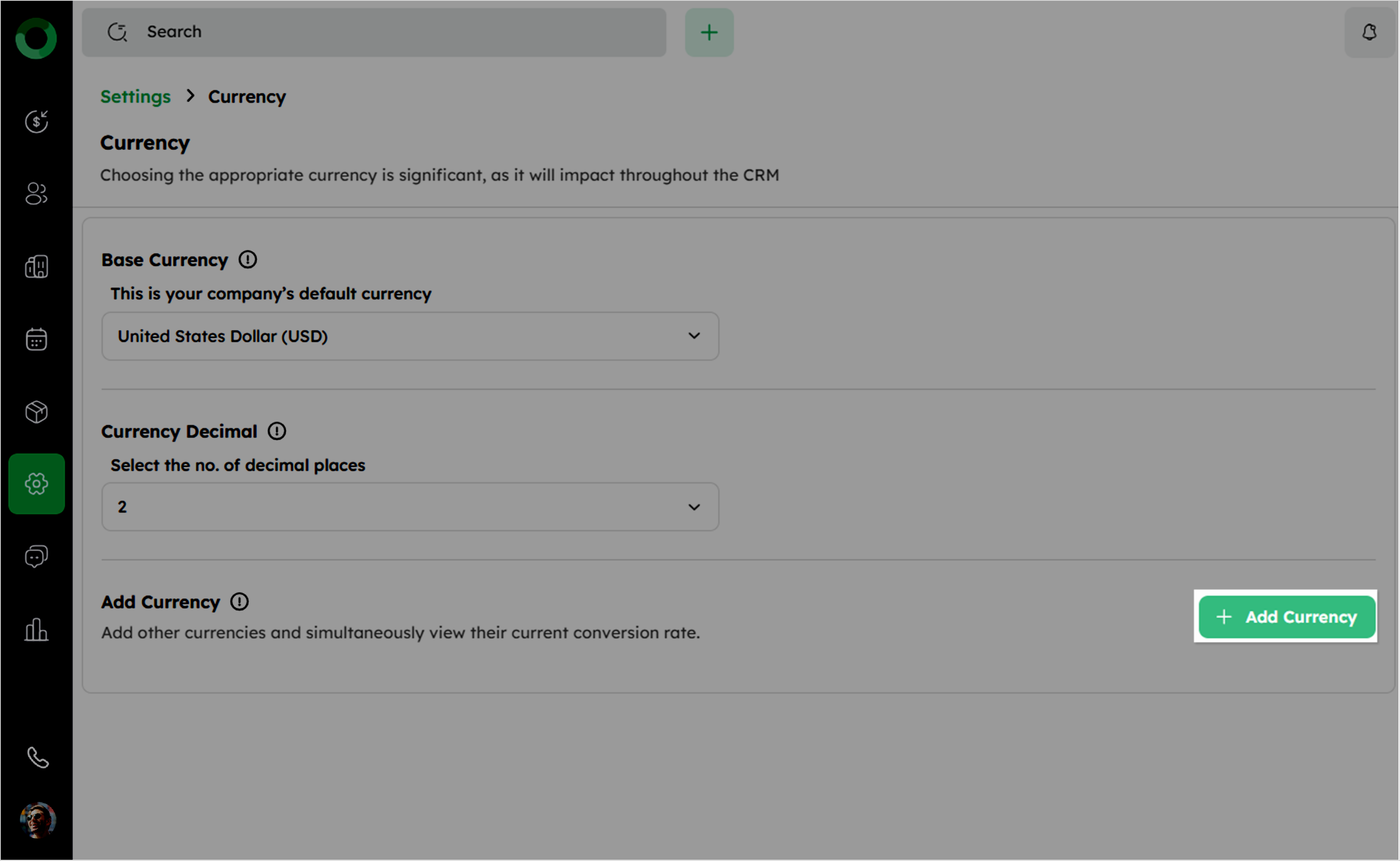
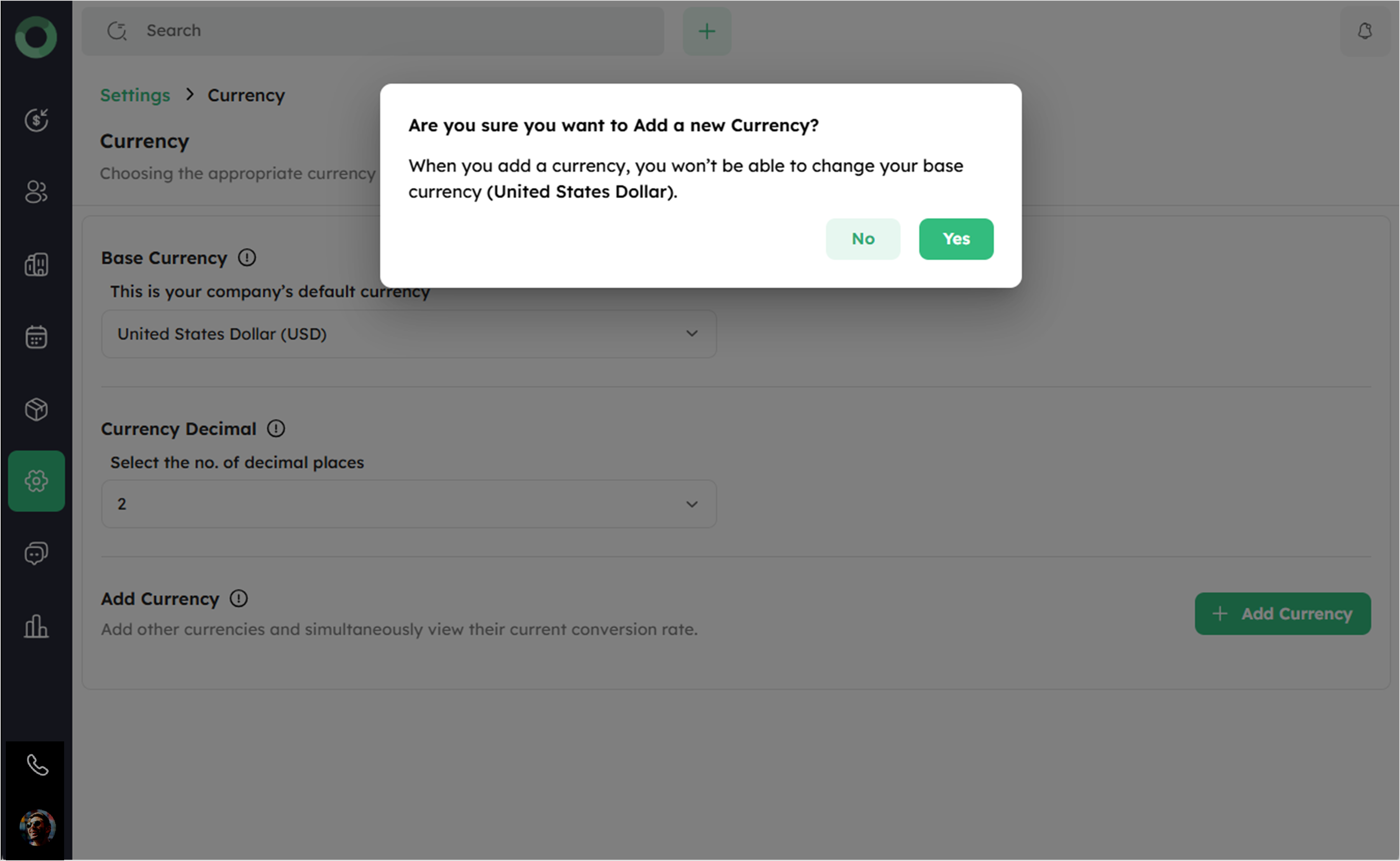
- In the pop-up, click Yes to open the Add Currency drawer.
Once a new currency is added, you cannot change your Base Currency.
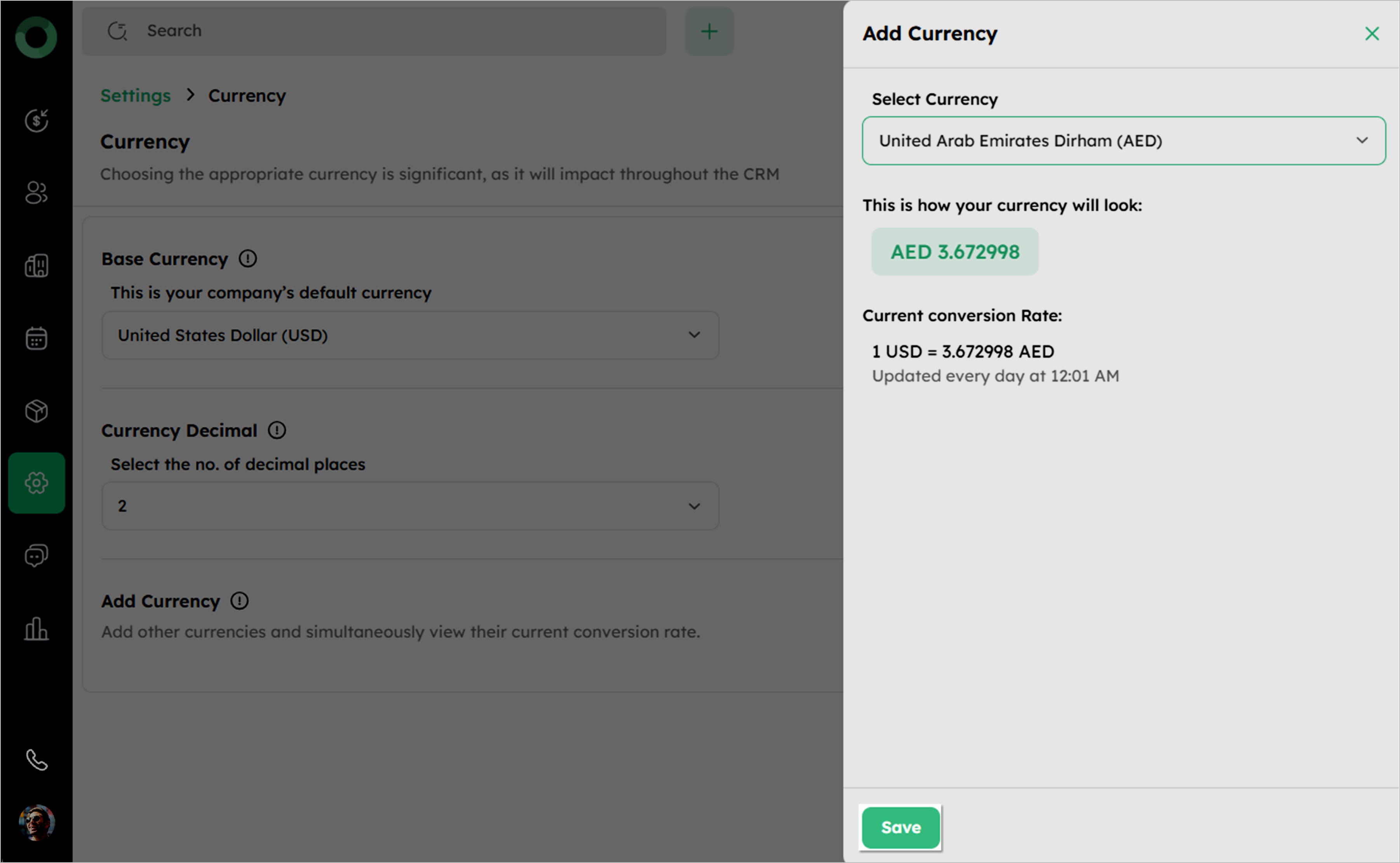
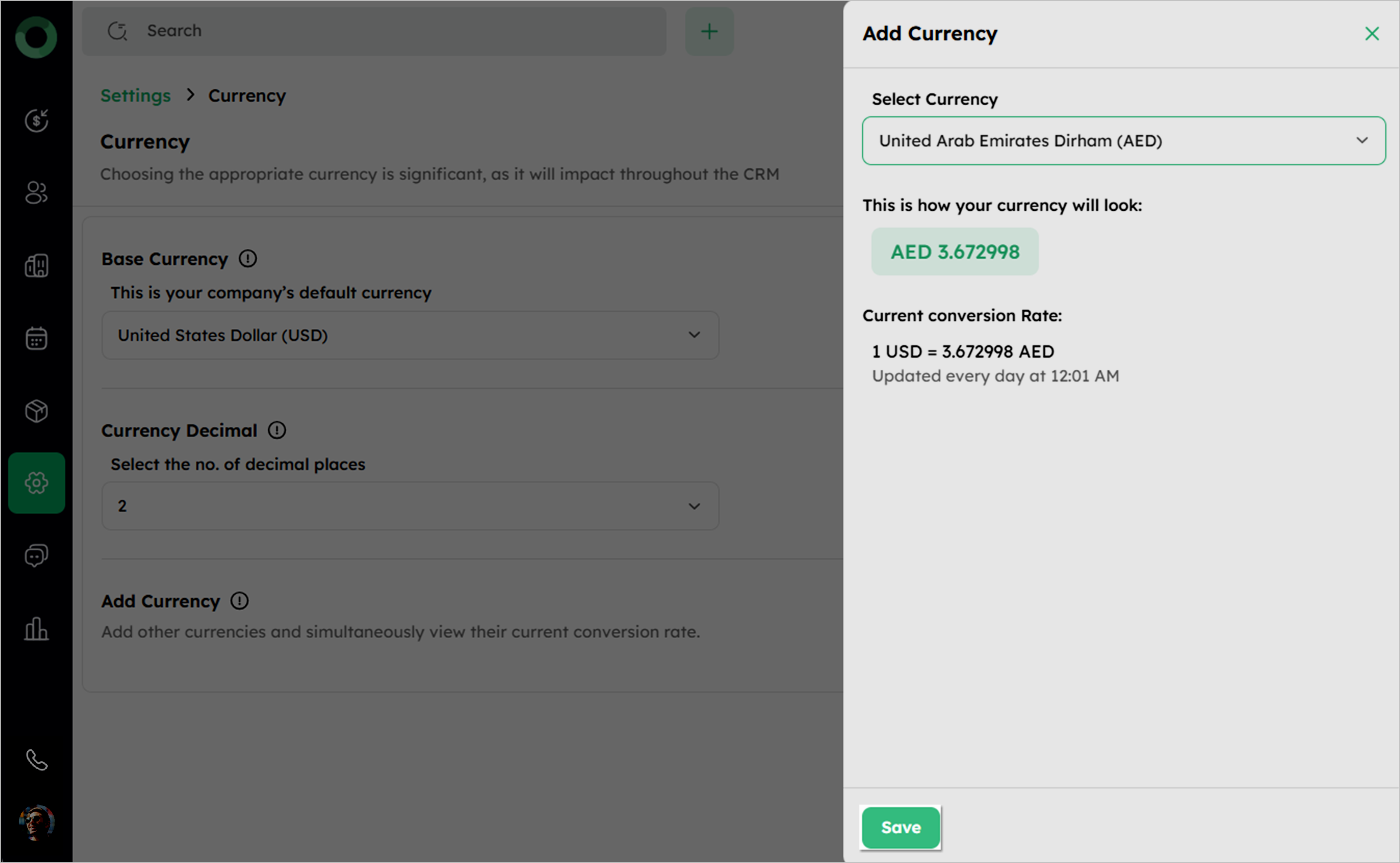
- In Add Currency drawer, choose the desired currency from the drop-down menu.
-
The system will display how the currency appears in the financial records.
-
The exchange rate is displayed based on the latest update.
-
If all available currencies have been added, the + Add Currency option will be disabled.
Conversion rates update automatically every day at 12:01 AM.
- Confirm your selection by clicking Save.
- View the newly added currency in the currency list.
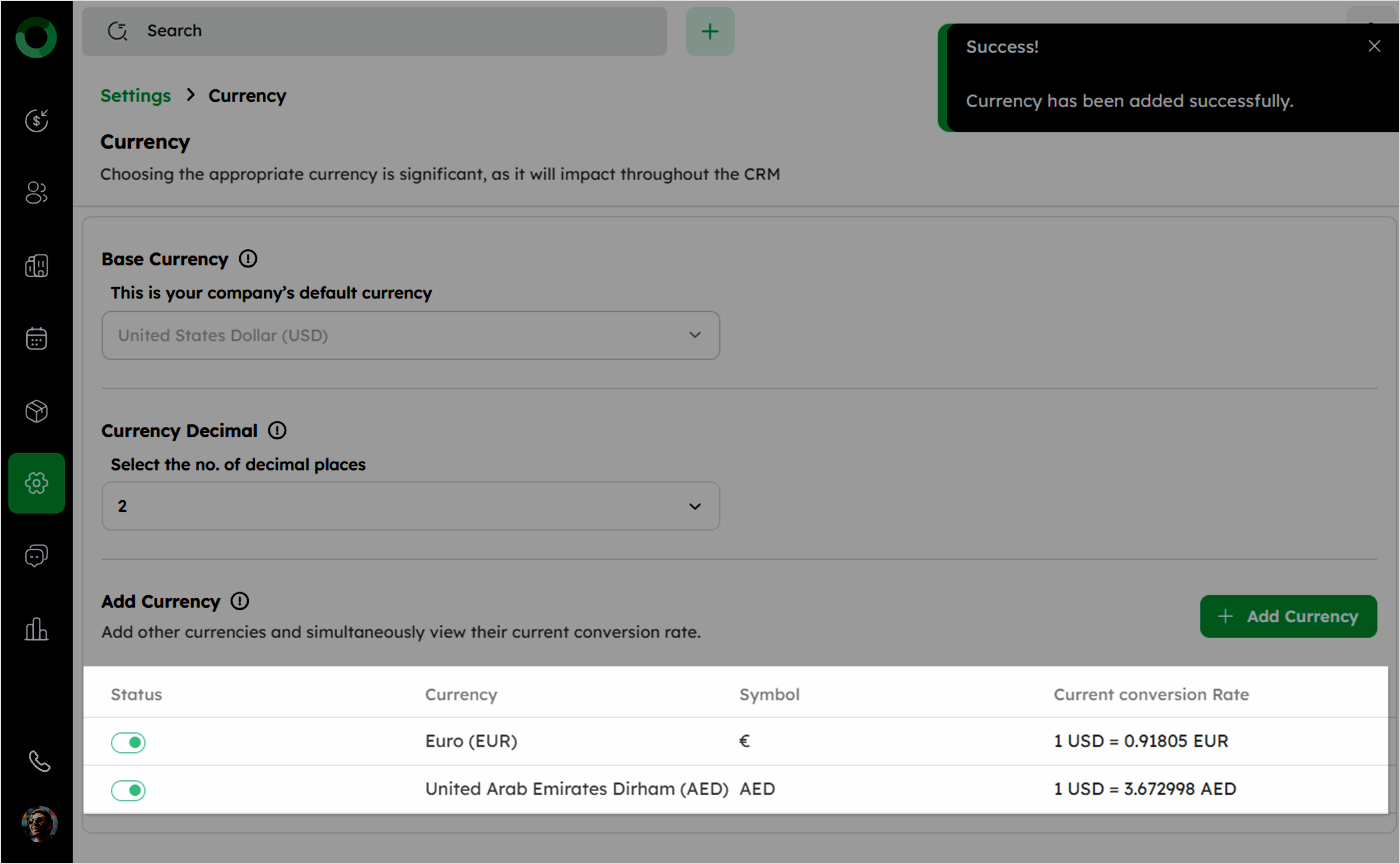
Added currencies cannot be deleted, but can be disabled to prevent selection in the currency dropdown.
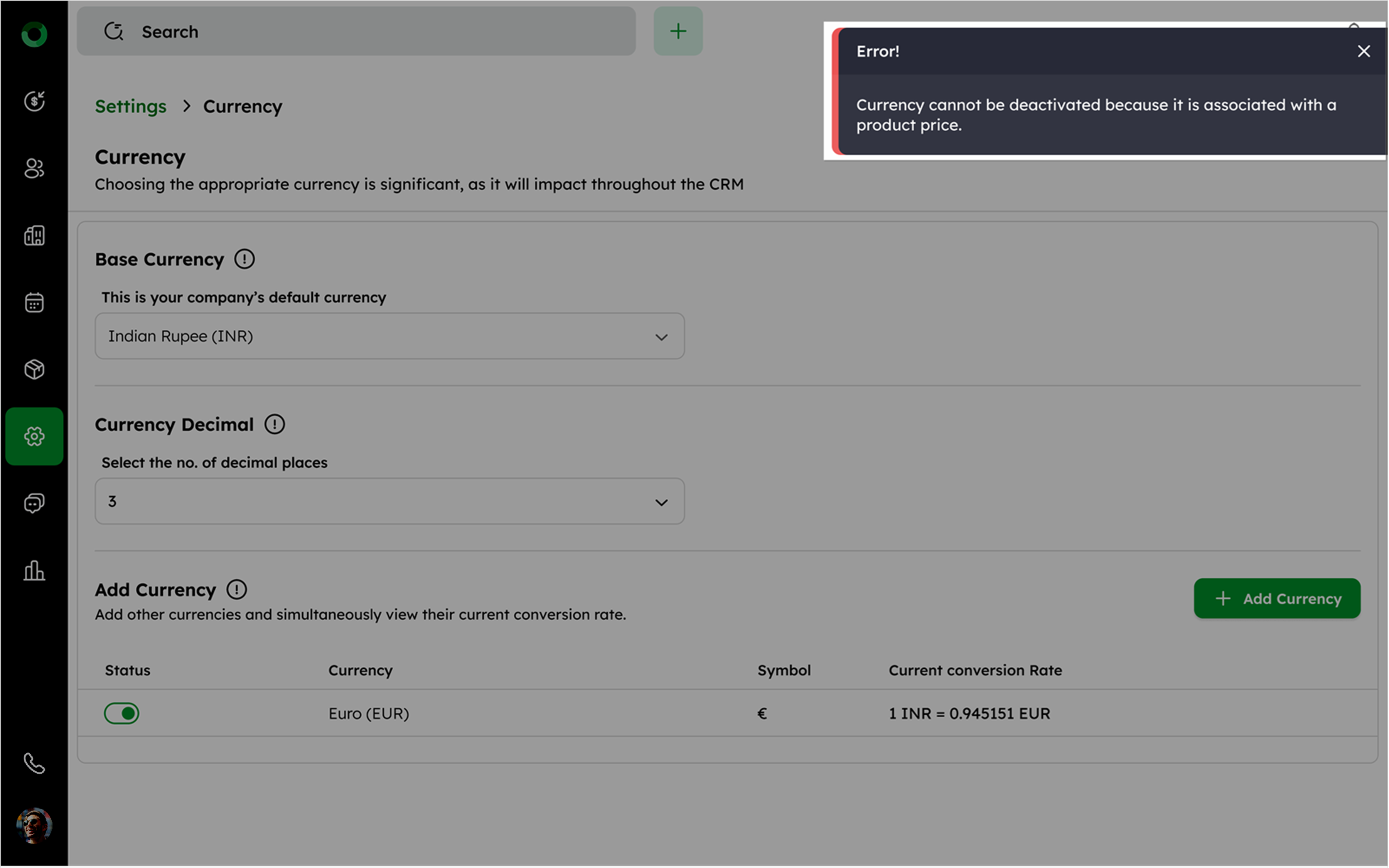
- You cannot deactivate the currency, which is associated with a product price.
-
You can add new currencies and create deals in any currency.
The system automatically converts and displays the Deal Value in both the selected and base currency.
The selected currency (€) appears in Deal Value under the Basic Information.
Base Currency ($) amount appears in Deal Value in Base Currency under the System Fields.
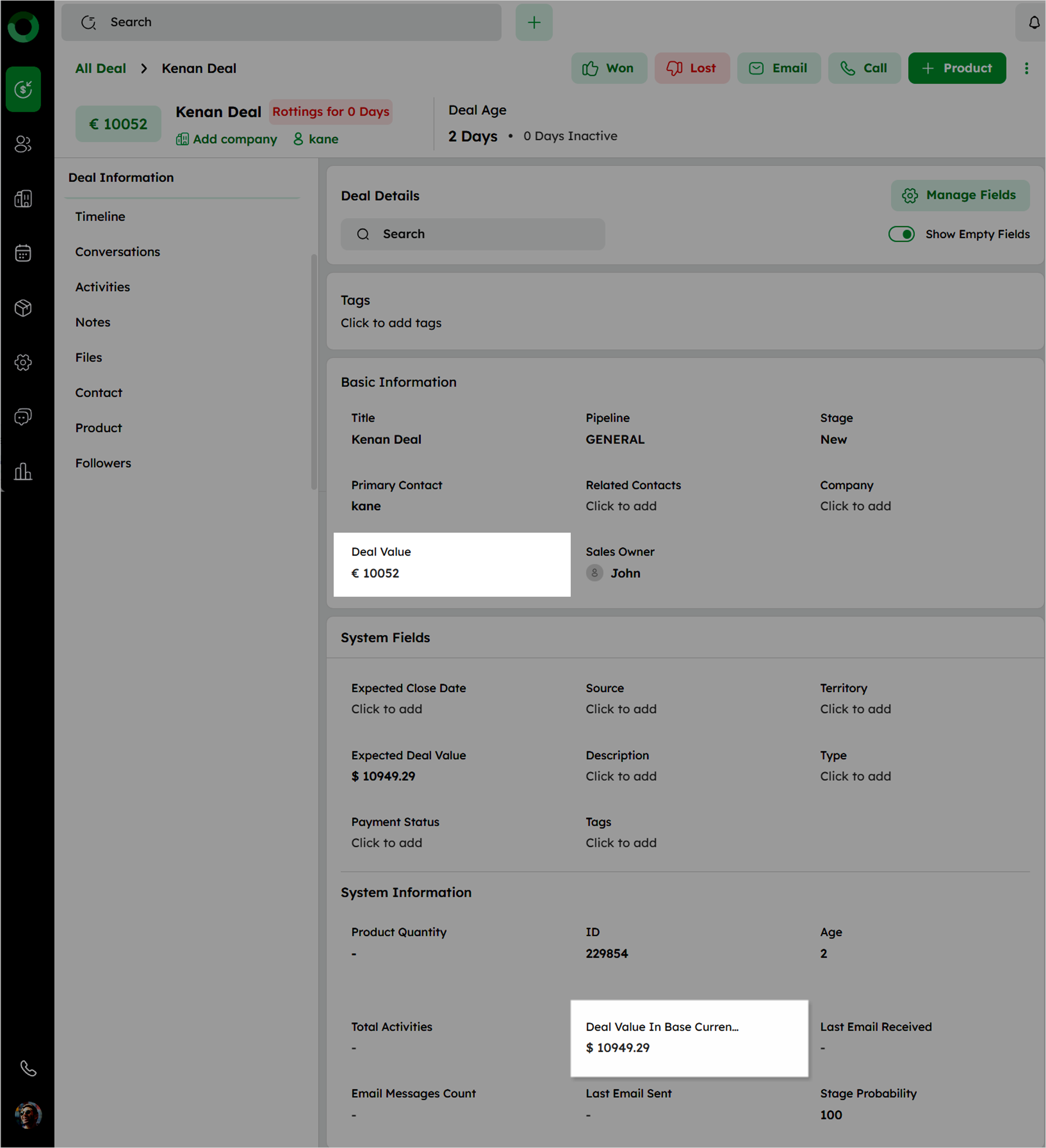
Automatically apply the conversion rate based on the current date's conversion rate.
The base currency value remains fixed for Closed Deals.
-
View the Base Currency in the Deal Pipeline, Forecast Category, Deal List, Deal Summary, and Product Module.
-
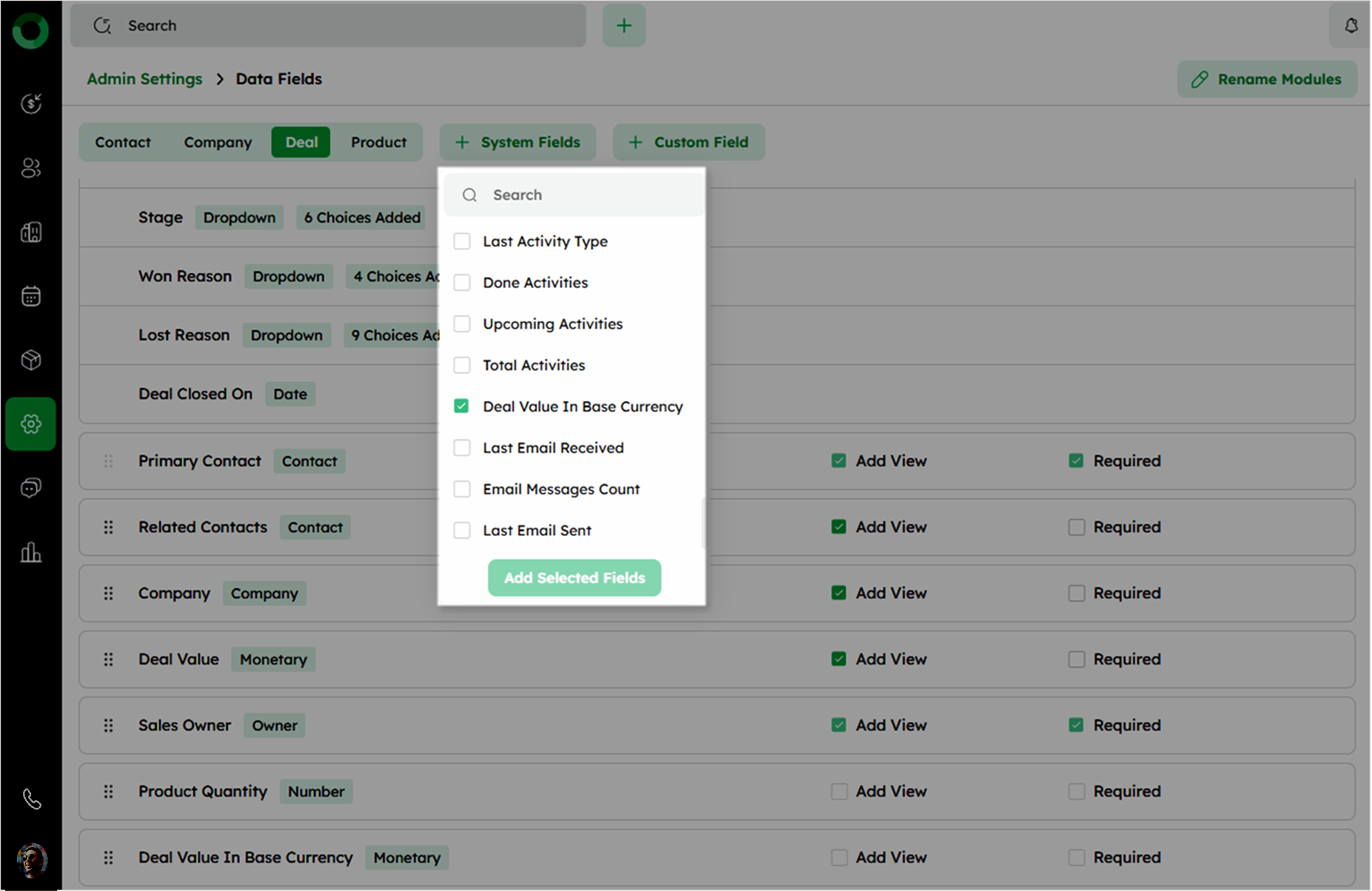
Enable currency-related fields such as Deal Value in Base Currency and Base Currency Amount from the Data Fields setup page to ensure visibility in relevant views and summaries.