Data Integrity: Managing Duplicates
Find Duplicate Records in Your Database
The Manage Duplicate feature in Twozo helps you to maintain an accurate contact database by identifying and merging duplicate entries based on matching information.
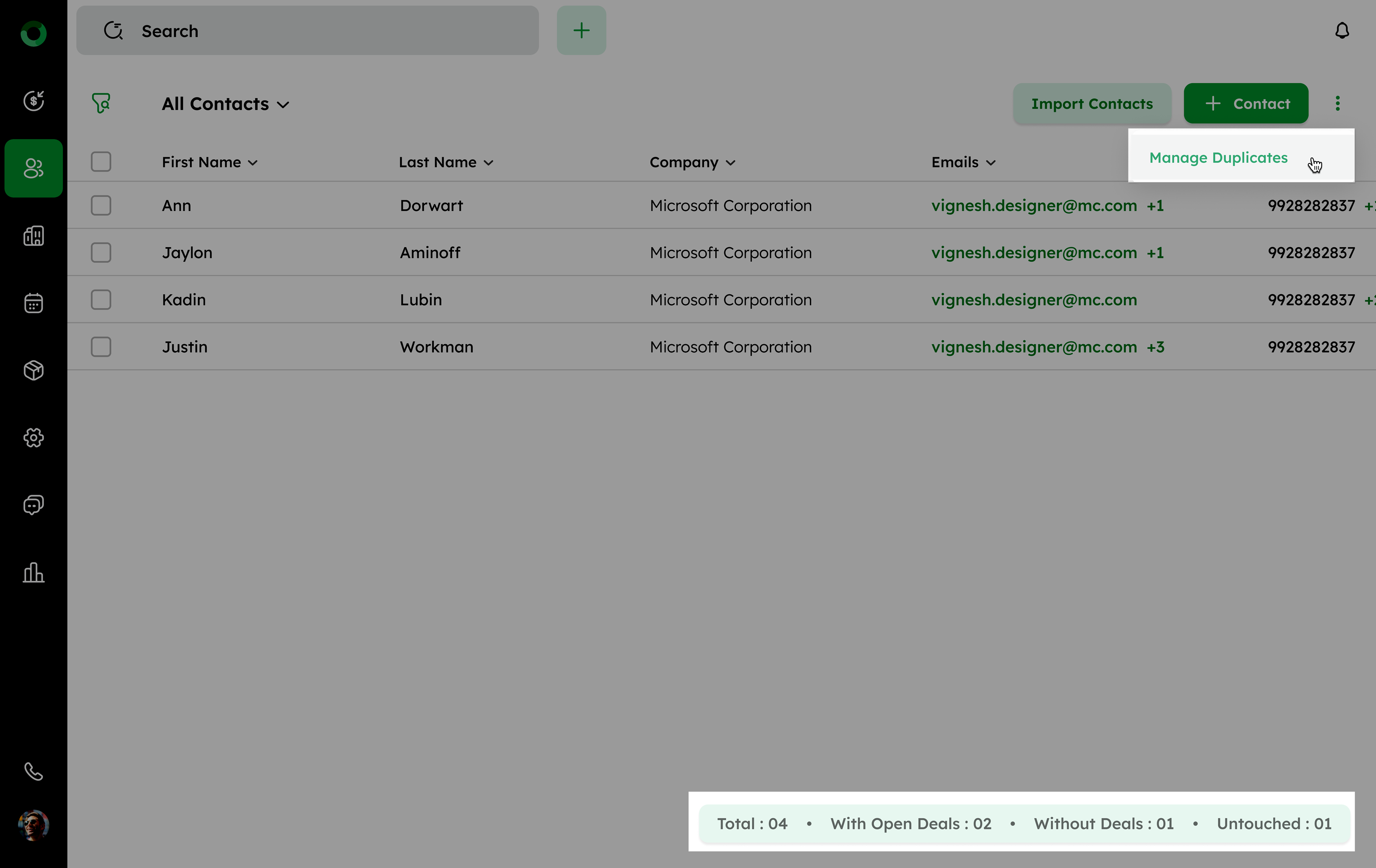
- In the Contact List View section, click the ellipsis (⁝) menu in the top right corner.
- Select the Manage Duplicates from the menu or within the Add Contact form window.
The system will automatically display a list of duplicates, which are identified based on matching information like email addresses or phone numbers.
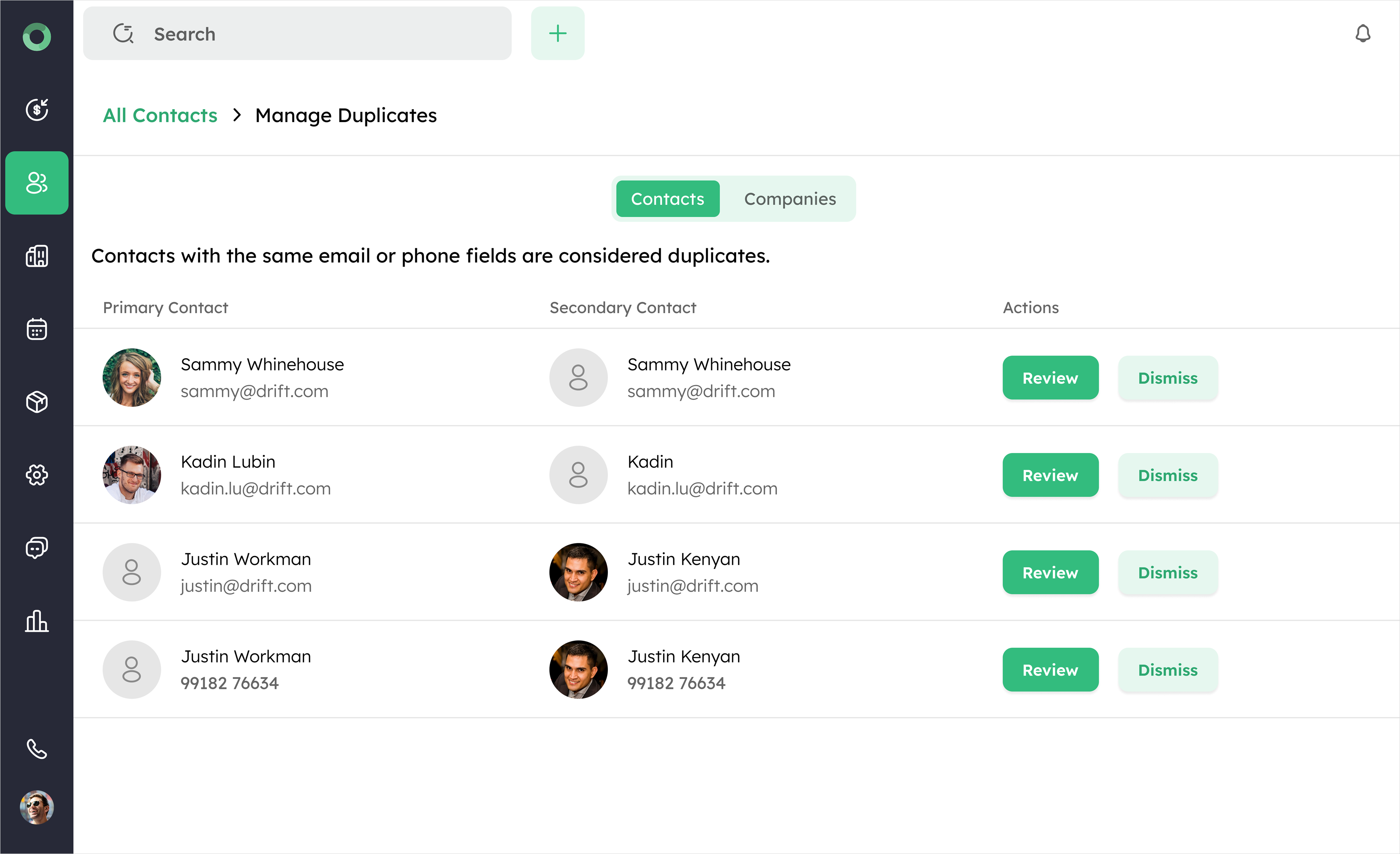
- Click the Review button to open the Review Possible Duplicates window. This window displays the contact's name, profile, email, and phone number.
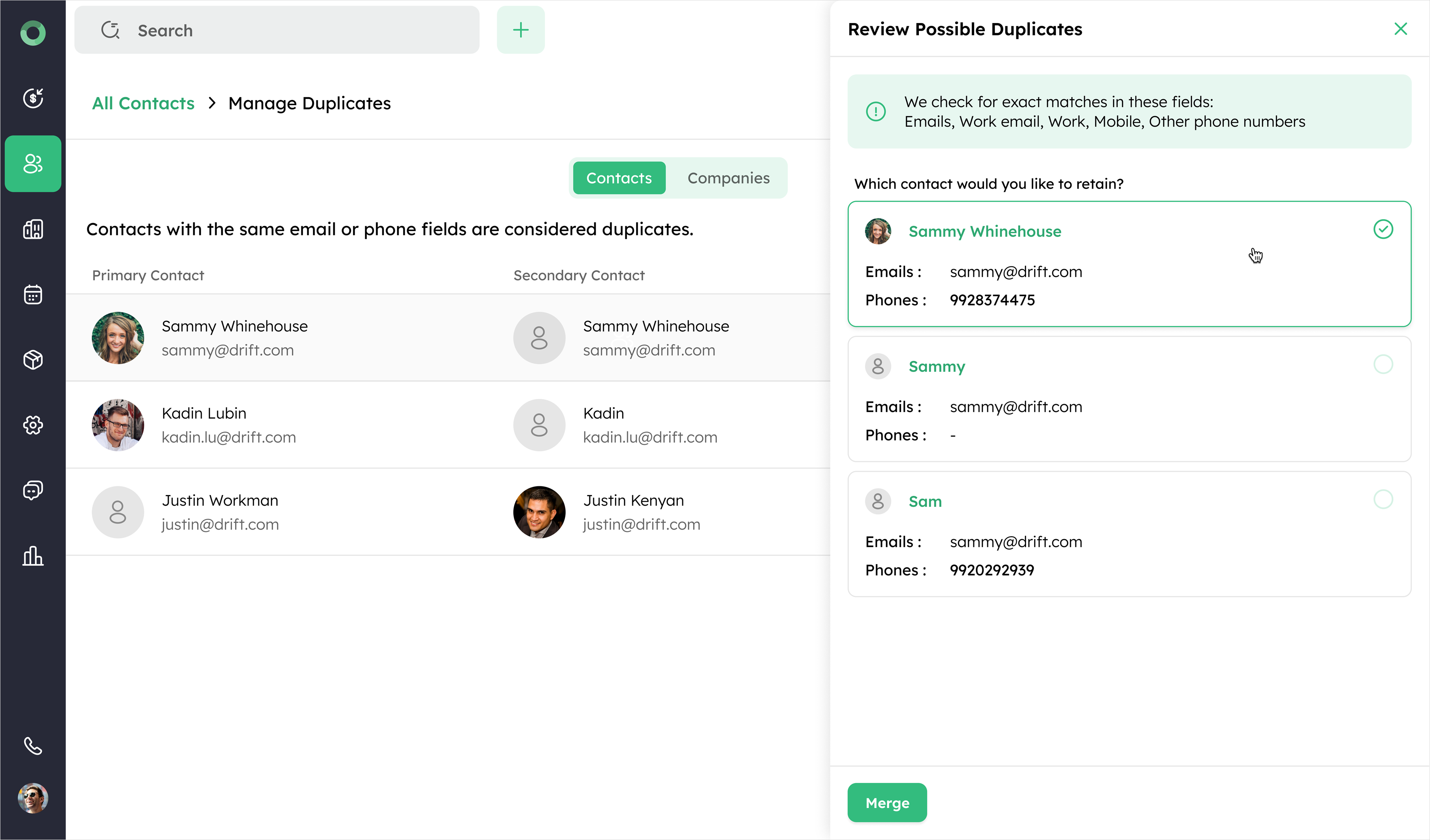
- Choose the contact you want to retain by selecting the radio button next to the preferred entry.
- Click the Merge button at the bottom of the panel to consolidate the selected contacts into a single contact.
Managing and Merging Duplicate Contacts
When contacts are merged, the contact properties are updated to ensure a complete, accurate and organized contact profile. The following properties are updated.
- Contact fields - The values from the primary record are retained. If any primary record has blank fields, values from the most recently updated secondary record are used.
- Activities - All activities from the secondary records are merged into the primary record.
- Notes - All notes from the secondary records are added to the primary record.
- Deals - Deals from the secondary records are merged with the primary record, only if they are associated with the same account.
- Company - If the primary record does not have a company, the company from the most recently updated secondary record is added.
- Conversations - All conversations, including phone calls, voicemails, and chats, from the secondary records are merged into the primary record.
- Activities Timeline - The activities from the secondary records are added to the primary record's timeline.
Tip: Regularly merging duplicate contacts prevents data fragmentation and keeps sales and communication workflows accurate.
