How to Use Filters and Sort Deals?
Default Saved Filters
The filter option narrows down the deal list based on selected criteria, displaying only the deals that match the applied filters. Follow these steps to access it:
-
Click All-Deal dropdown next to the filter option.
-
Use the toggle buttons to switch between Filter and Sales Owner as needed.
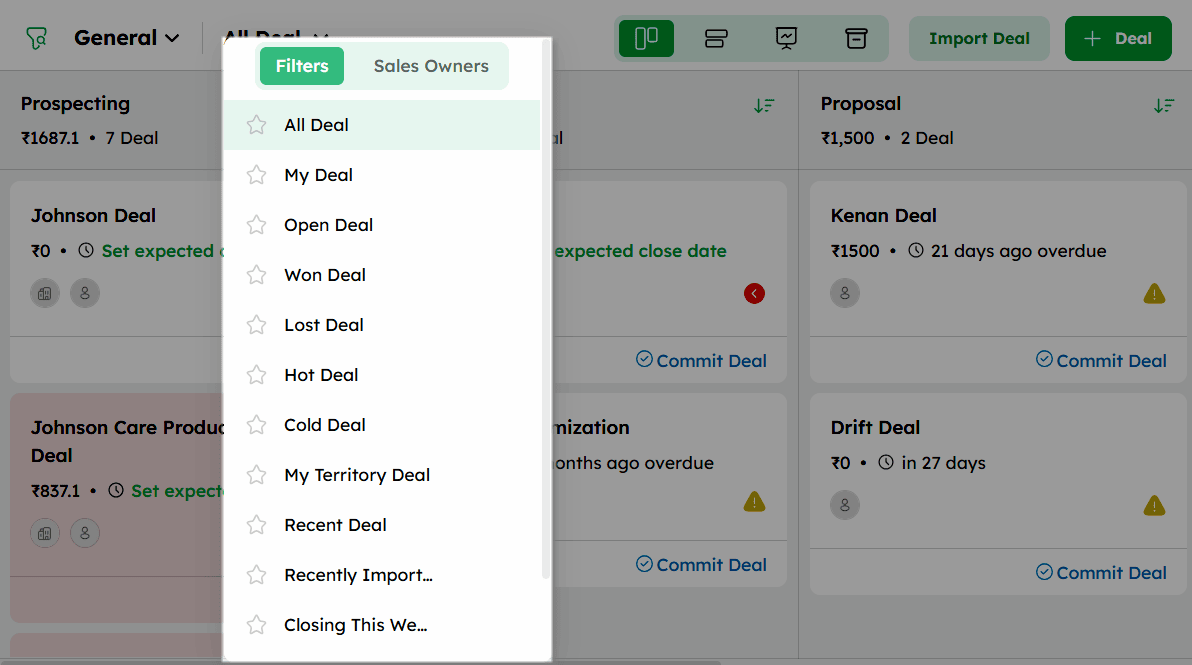
- The Filters tab dropdown displays a list of default filters, including created and shared filters.
List of Default Saved Filters:
| Filter | Definition |
|---|---|
| All deals | Displays all deals available in the CRM. |
| My deals | Lists the deals that were assigned to and owned by you. |
| Open deals | List of all the deals that are currently active. |
| Won deals | Lists all deals that have been successfully closed. |
| Lost deals | Lists all deals that did not result in a successful closure. |
| Hot deals | Lists deals with a deal value greater than 1,000. |
| Cold deals | Lists deals that have been inactive for the past 3 months. |
| My territory deals | Lists the deals that have been assigned to your territory. |
| Recent deals | Lists deals created in the last 24 hours. |
| Recently imported deals | Lists deals that have been recently imported into the CRM. |
| Closing this week | Lists all deals whose expected closing date falls within the current week. |
| This month sales | Lists all deals whose expected closing date falls within the current month. |
| Recycle Bin | Lists all deals that have been moved to the Recycle Bin. These will be stored in your CRM for 90 days before being permanently deleted. |
Sorting Deals in Twozo
Sorting in Twozo CRM organizes deal records in the List View based on a selected field such as Deal Title, Deal Value, or Closing Date. Only one sort field can be active at a time, in either ascending or descending order.
-
The default Sort option is located at the top-right corner of the deal stage.
-
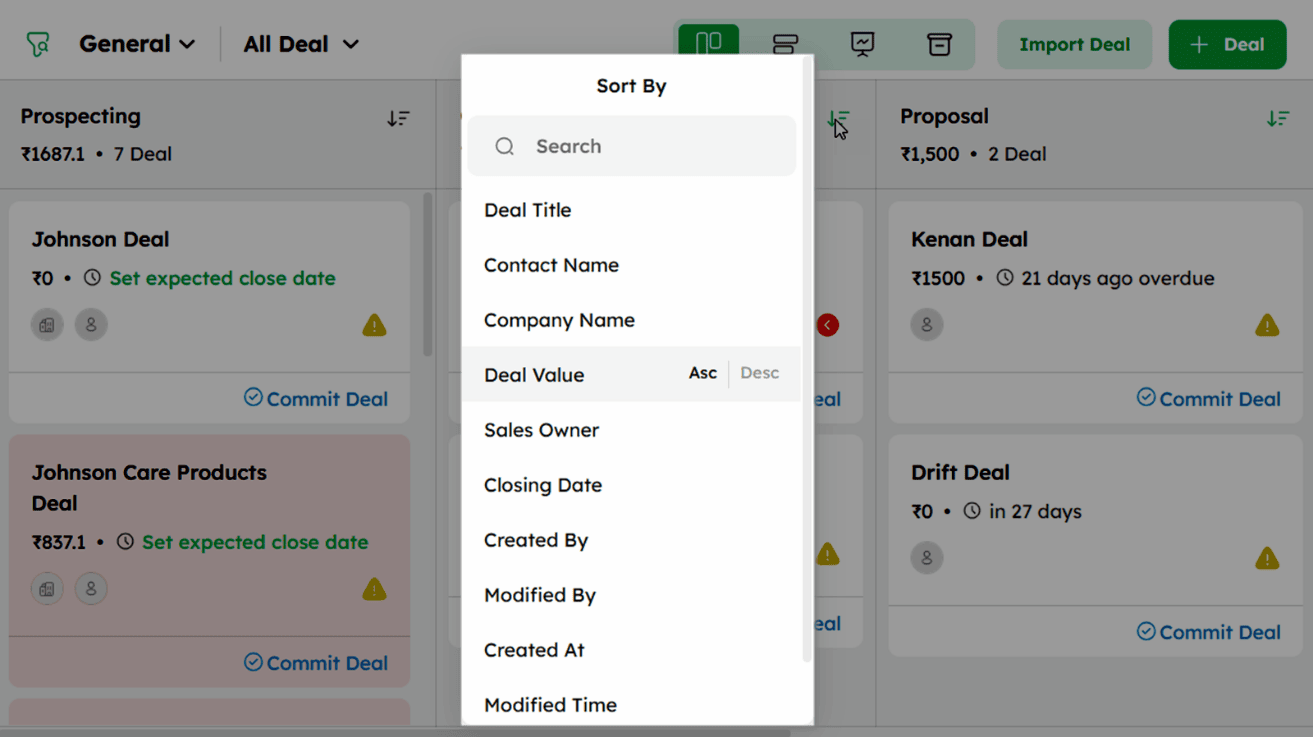
Click Sort option to open the sort menu.
-
Select a field to sort by, such as Deal Title, Contact Name, Company Name, Deal Value, Sales Owner, Closing Date, Created By, Modified By, Created At, Modified Time, or Last Activity Time.
-
For the selected field, choose Asc for ascending order or Desc for descending order. The changes are reflected instantly in the pipeline view.
Only one sort field can be active at a time. To sort by a different field, reopen the Sort By menu and select a new field with the preferred order.
